
FTC Affiliate Disclosure Guidelines: The DOM Proximity Mandate
Under the revised FTC Endorsement Guides (16 CFR Part 255), affiliate disclosures must be "Clear and Conspicuous" and positioned BEFORE or IMMEDIATELY ADJACENT to the first commercial link. Disclosures buried in website footers, hidden behind vague "Terms" popups, or placed at the bottom of blog articles fail the proximity test and violate federal trade regulations.
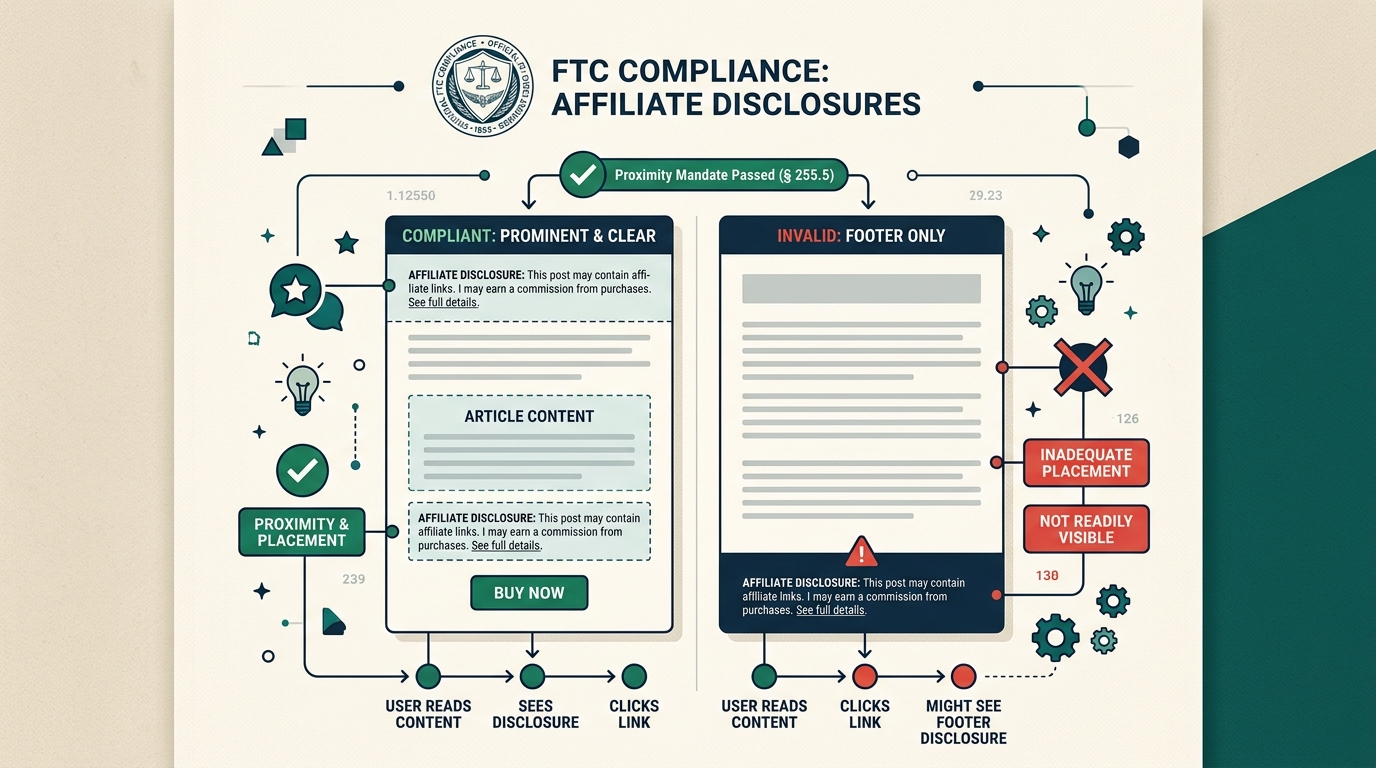
1. The Proximity Rule: Why Footer Disclaimers Are Illegal
For years, many affiliate bloggers placed a generic disclaimer in their site footer: "This site contains affiliate links and we may earn a commission."
In its updated enforcement guidance, the Federal Trade Commission explicitly noted that consumers rarely scroll to the footer before making purchasing decisions. If a reader clicks a commercial link (such as an Amazon product button or a software sign-up URL) before seeing the disclosure, the publisher has engaged in deceptive endorsement practices.
“The disclosure must be unavoidable. If readers must scroll past commercial links or click an extra link to see your disclosure, it is not clear and conspicuous.”
2. How DOM Coordinate Verification (compareDocumentPosition) Works
How can you mathematically guarantee that your disclosure precedes every commercial link? AffiScope's FTC disclosure guard uses two deterministic browser APIs:
Using node.compareDocumentPosition(), the extension evaluates document node order. If an affiliate link node precedes the disclosure node in the DOM tree, an alert is triggered immediately.
Using element.getBoundingClientRect().top, AffiScope measures vertical pixel distance. If the first commercial button sits at Y: 380px and the disclaimer sits at Y: 2100px, AffiScope flags the violation directly inside your authoring viewport.
3. Google rel="sponsored" vs. FTC Disclosures: The Dual Mandate
Publishers often confuse Google search requirements with FTC legal requirements. They are two distinct rules:
| Regulatory Standard | Target Audience | Required Action | Risk of Violation |
|---|---|---|---|
| FTC § 255.5 Proximity | Human Readers | Notice placed above first commercial link | FTC Warning Letters & Fines |
| Google Link-Spam Guard | Search Crawlers (Googlebot) | rel="sponsored" HTML tag |
Algorithmic Rank Demotion |
To be completely safe, your review articles must satisfy both: visible, high-proximity copy for human readers, and clean rel="sponsored" tags for search engines.
4. Copy-Paste FTC Compliant Disclosure Templates
Here are three battle-tested, FTC-compliant disclosure statements you can paste at the top of your articles (beneath your H1 title or byline):
“Affiliate Disclosure: Some of the links on this page are affiliate links. If you make a purchase through these links, we may earn an affiliate commission at no extra cost to you. We only recommend products we have thoroughly tested.”
“As an Amazon Associate, I earn from qualifying purchases.”
5. How AffiScope's FTC Disclosure Guard Protects Your Blog
Instead of manually checking every post or relying on memory, AffiScope automatically scans your rendered page when you open it in Chrome:
- Instant Status Badge: Displays green
✓ Compliantor amber⚠ Misplaced Disclosurein your extension HUD. - Non-Destructive Alert: Warns writers and editors in an isolated Shadow DOM container before an article goes live.
- 1-Click HTML Fixer: Injects Google
rel="sponsored"attributes directly to your clipboard.
Audit your FTC compliance in seconds
Install the AffiScope Chrome extension and never publish a non-compliant affiliate review post again.